
Expense Tracking (OCR)
Capture, approve, and report — instantly.
Snap a photo of any receipt or invoice. YachtBooks automatically extracts data, categorizes the expense, and routes it for approval based on your workflow rules.
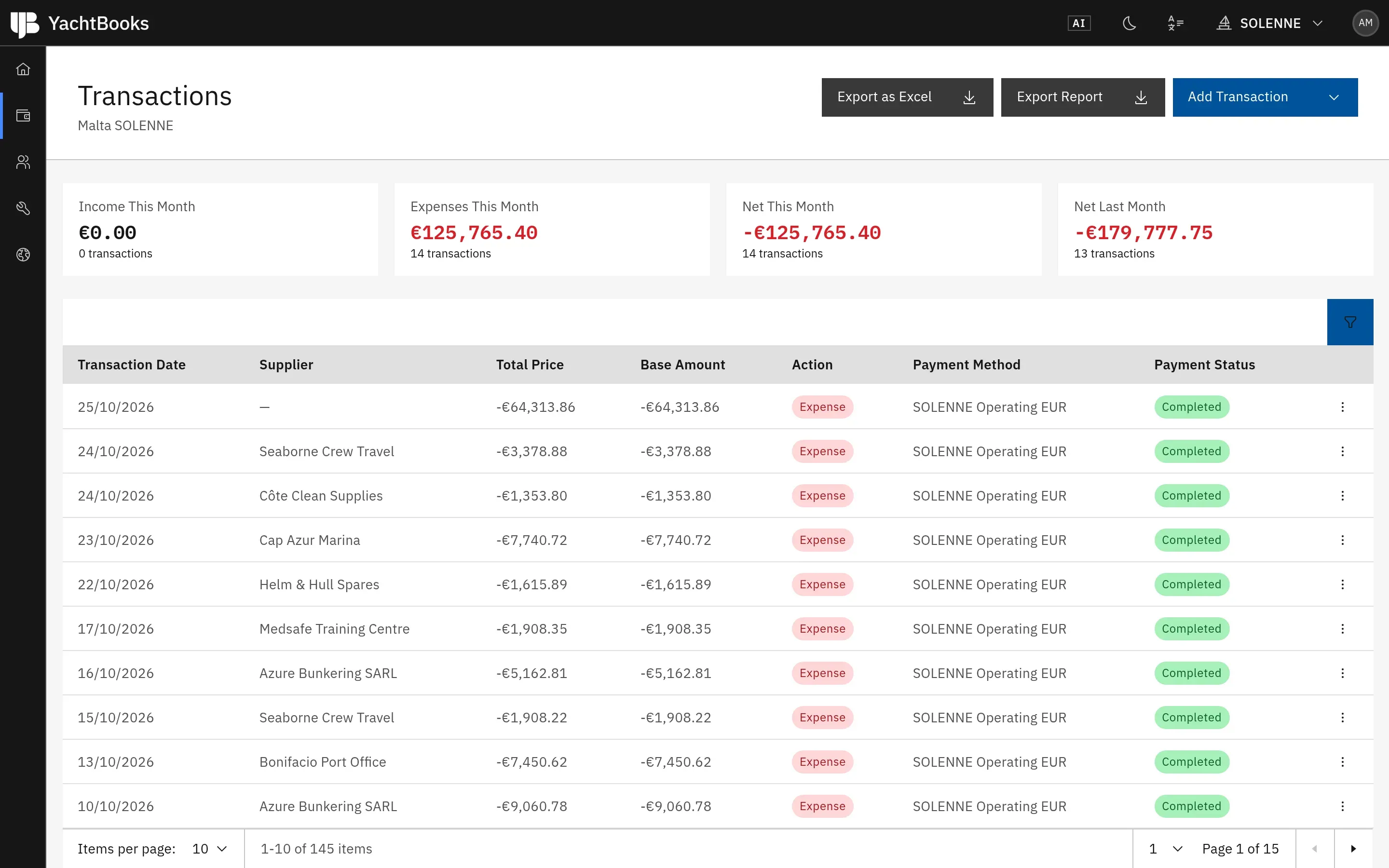
What you can do
Key features.
AI receipt and invoice recognition
Photograph a receipt or upload an invoice. OCR and AI read the supplier, amount, currency, date and category.
Approval workflows
Route each expense to the right approver and follow every approval in one place.
By yacht and department
Every expense lands in the right yacht, department and budget line.
Receipts from any country
Capture receipts and invoices in any language and currency.
Anomaly and duplicate checks
Unusual amounts, duplicate records and inconsistencies are flagged for review before payment.
Reports with images
Export expense reports with the receipt images attached.
How it works
From start to finish.
- 01
Capture
Snap the receipt on your phone, onboard or ashore.
- 02
Recognise
AI reads the receipt and fills in the expense.
- 03
Approve
The right person approves it, wherever they are.
- 04
Report
It counts against the budget and appears in every report.
YachtBooks Intelligence
Just ask.
Ask about Expense Tracking (OCR) in plain language and get the answer from your own data.
More about YachtBooks Intelligence- How much did we spend on provisioning this week?
- Which expenses are waiting for my approval?
- Show me all receipts from Monaco this month.
- Are there any duplicate invoices?
Recognition
From paper to data in seconds.
OCR combined with AI recognition reads the key fields and standardises financial records across the yacht, so nobody types the same numbers twice.
Control
Know what was spent, where and why.
Recognised invoices connect to budgets, approvals, suppliers and reports, so every expense tells the full story.
Protection
A second pair of eyes on every invoice.
Anomaly detection flags unexpected amounts, duplicate records and unusual patterns that need a closer look before money leaves the account.
“The expenses module is extremely efficient — I simply take a photo of the receipt, upload it, and the job is done.”


FAQ
Common questions.
Does it read receipts in other languages?
Yes. Receipts and invoices from any country can be captured; the AI reads the key fields regardless of language.
Can the crew capture expenses on their phones?
Yes. Crew snap receipts on mobile and the expense is ready for approval in the web app.
Who approves expenses?
You decide. Approvals follow your organisation's roles and permissions.

See it in action.
Book a demo and we'll walk you through it with your yachts in mind.